Screenshots
Explore dbxlite's features through these screenshots. Click any image to view full size.
Main Interface
A powerful SQL workbench with syntax highlighting, multiple tabs, and instant results
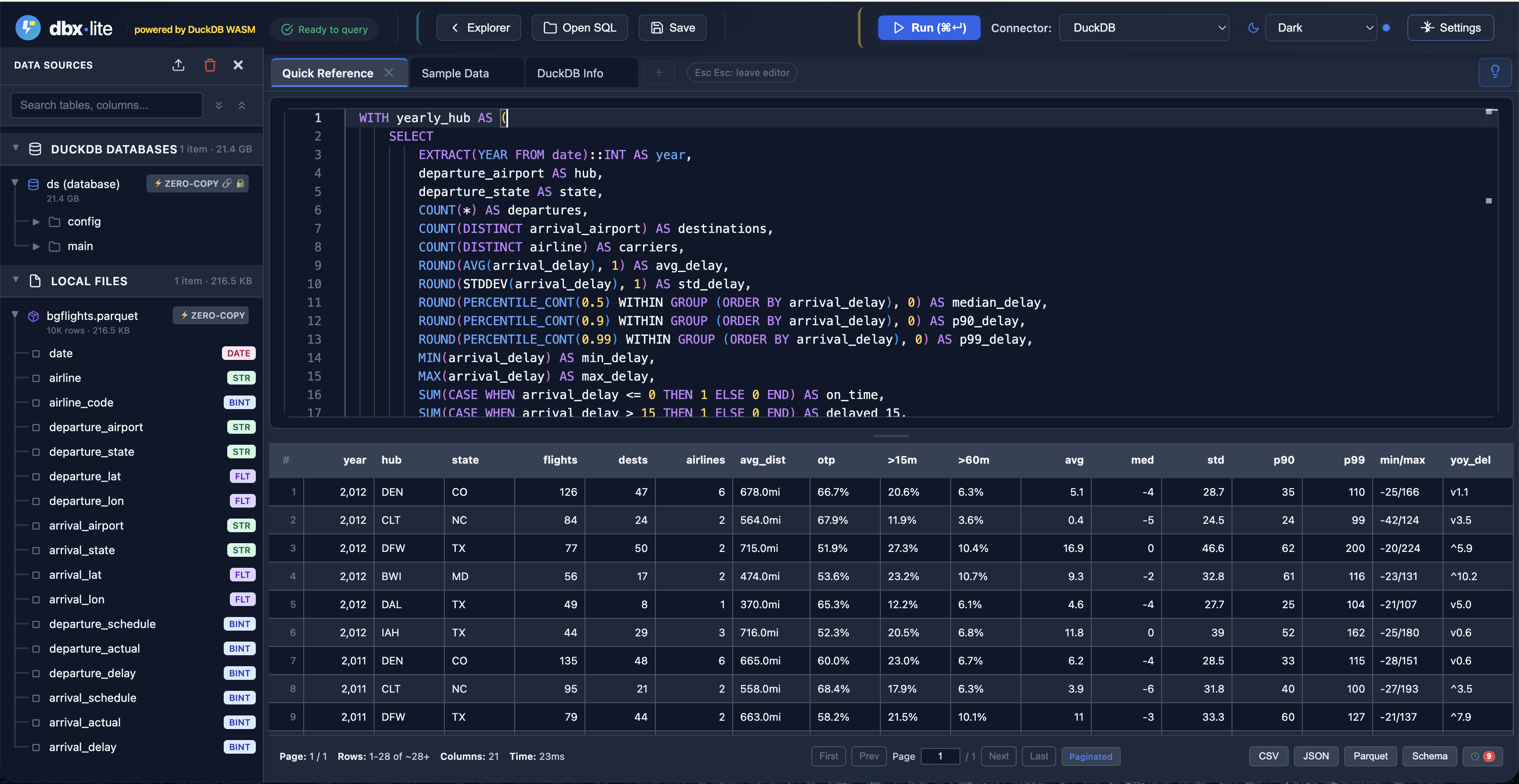
Dark Theme
Full-featured SQL editor with data explorer, syntax highlighting, and results grid
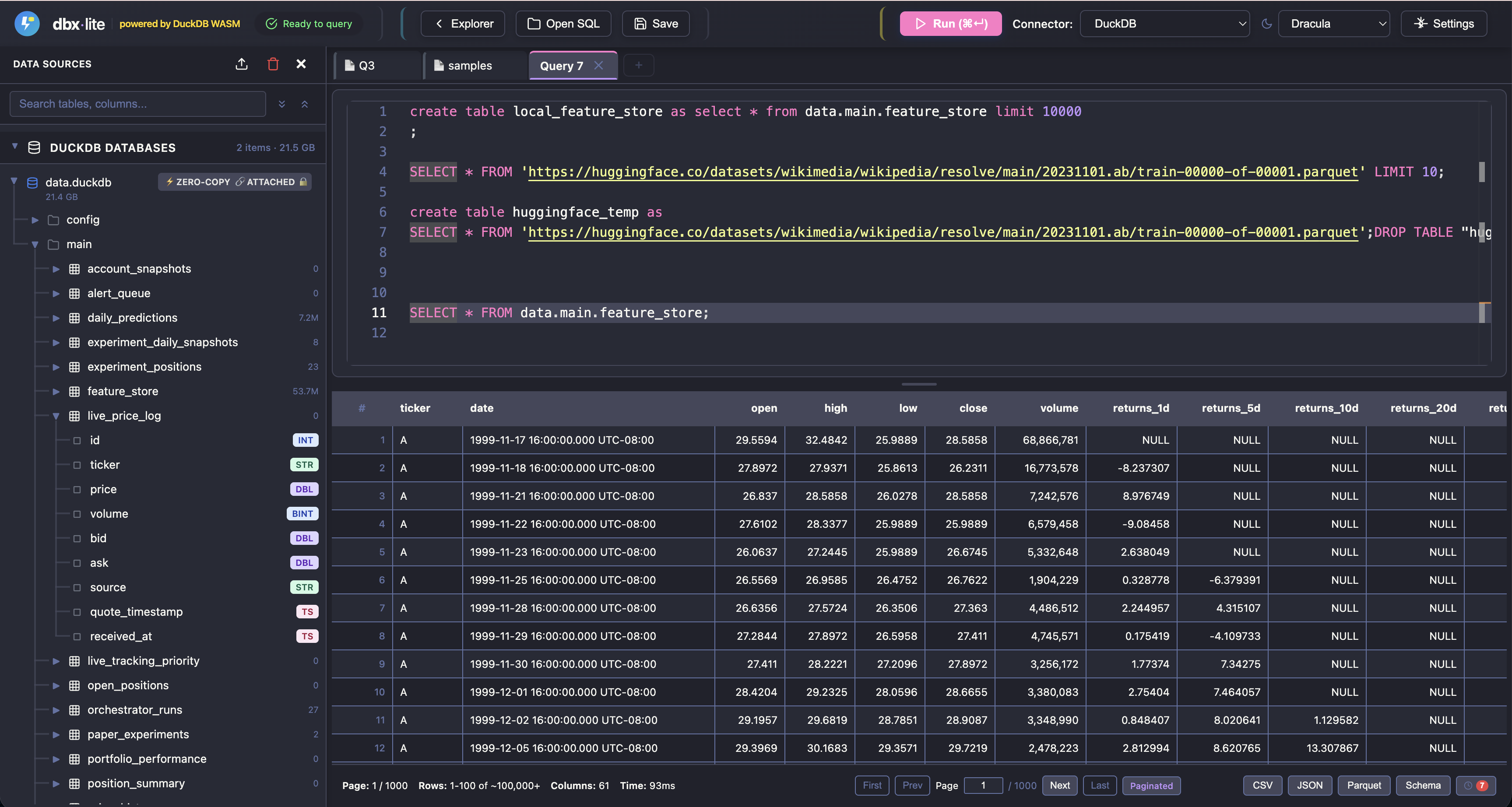
Dracula Theme
Query remote Parquet files from HuggingFace with the popular Dracula color scheme
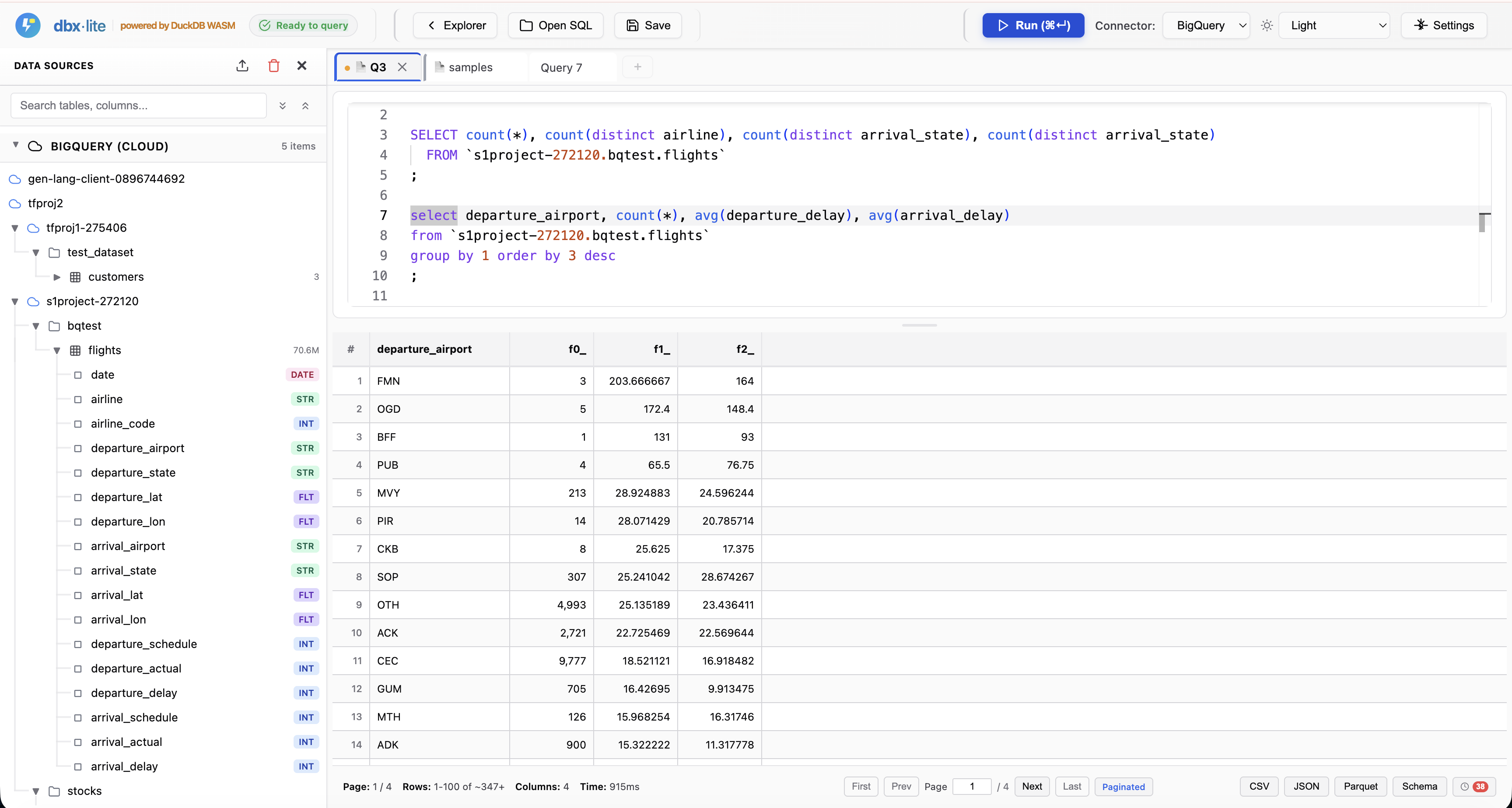
Light Theme with BigQuery
Connect to Google BigQuery for cloud data warehouse queries alongside local files
Data Explorer
Browse databases, tables, and schemas with full type information
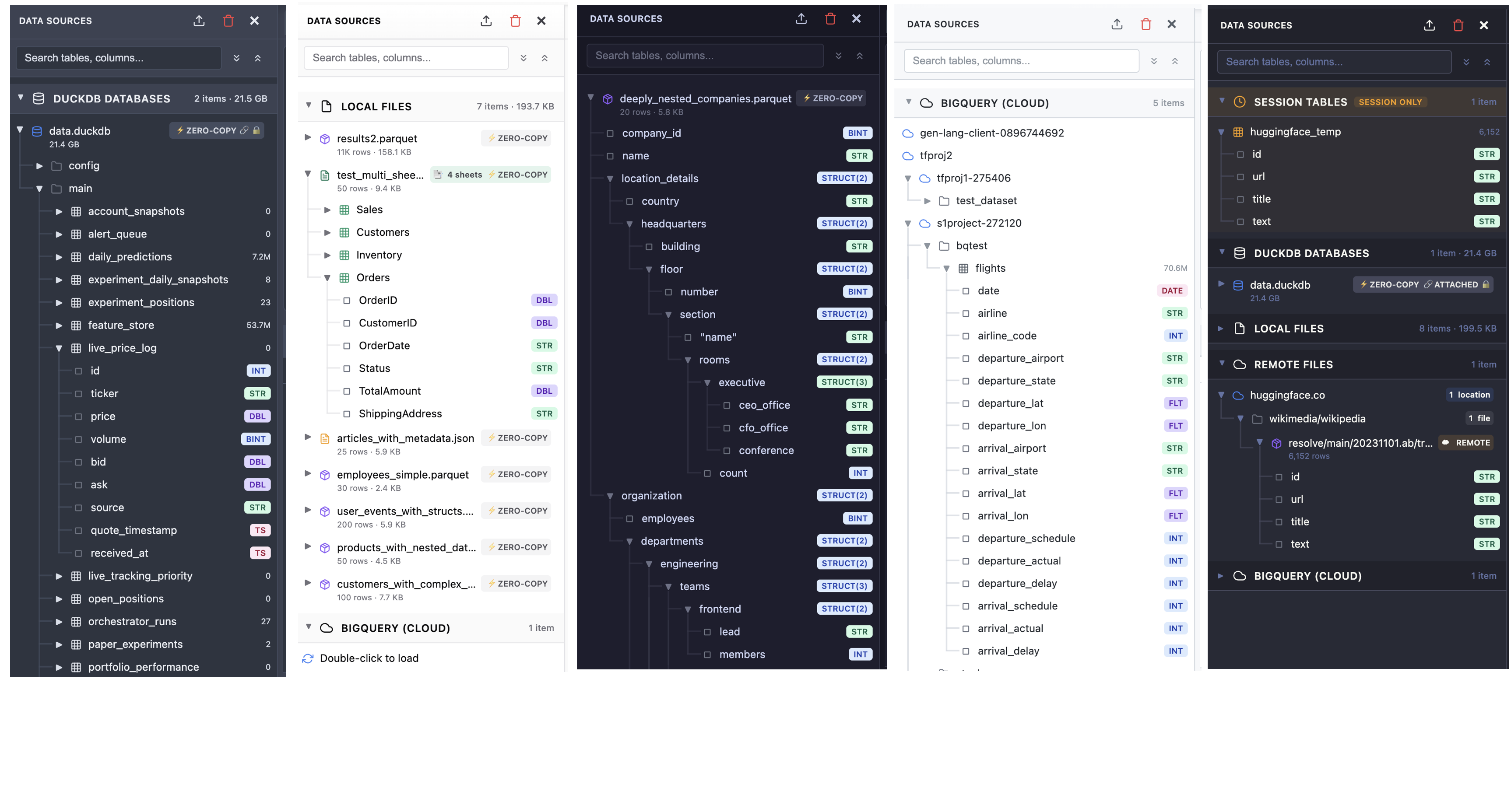
Multi-Theme Explorer
Data explorer panel showing DuckDB databases, local files, remote URLs, BigQuery, and session tables
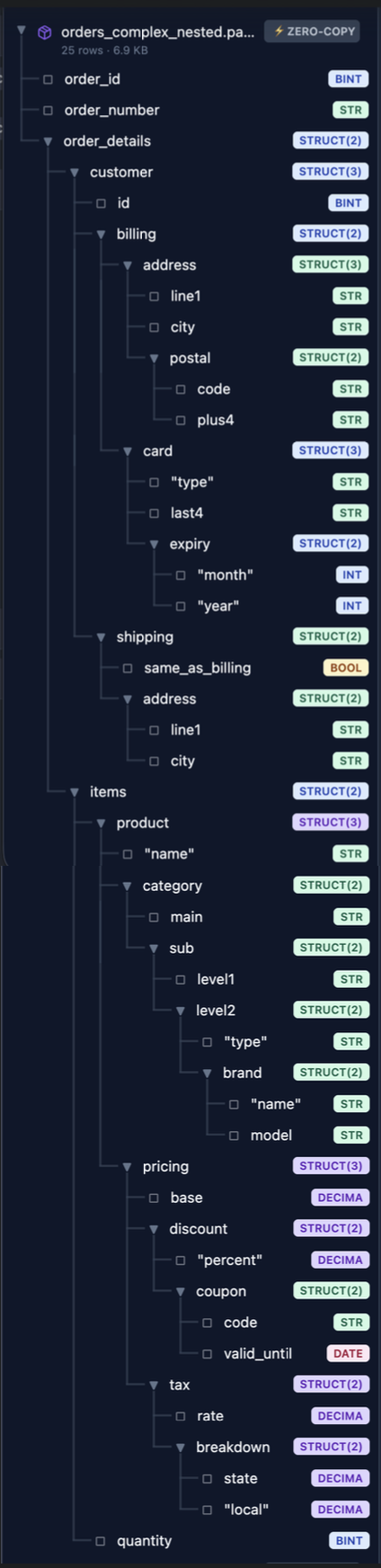
Nested Structure Support
Explore complex nested JSON and struct types with full schema visualization
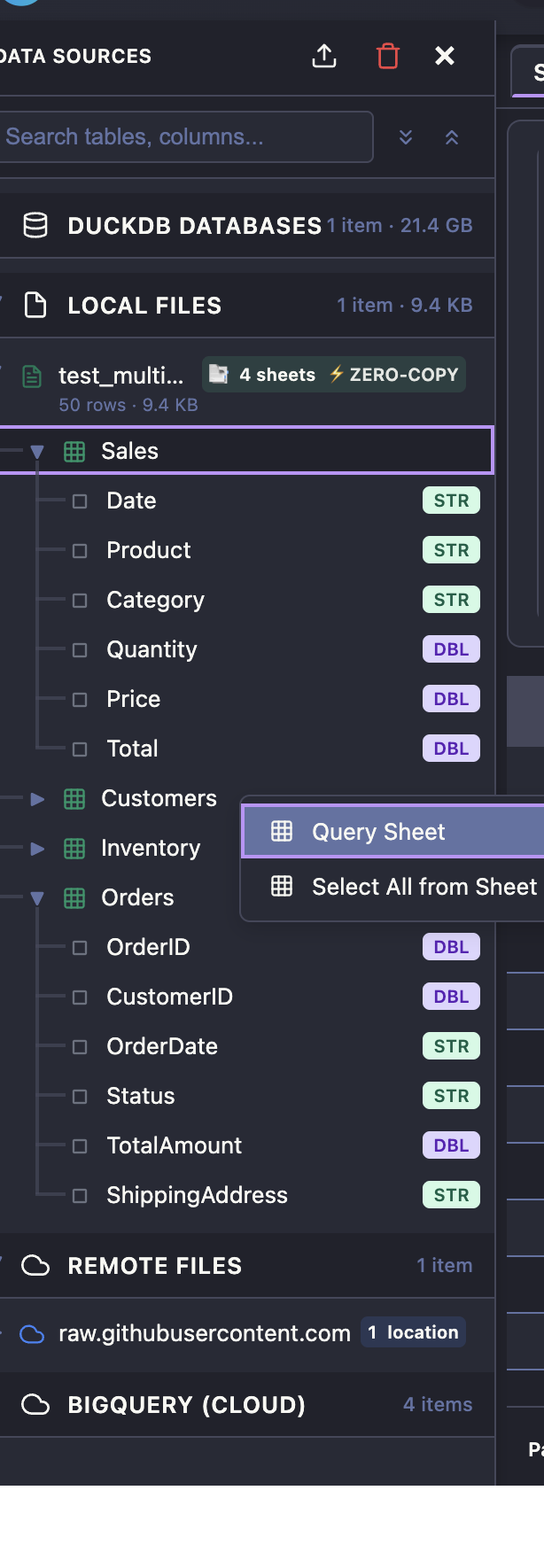
Excel Multi-Sheet Support
Browse and query any sheet from Excel files with right-click context menu

Query Excel Files
Load Excel files and query specific sheets using read_xlsx() with sheet parameter
Remote Data & Sharing
Query files from anywhere and share SQL with anyone

Query Remote Files
Query CSV and Parquet files directly from GitHub, HuggingFace, or any public URL
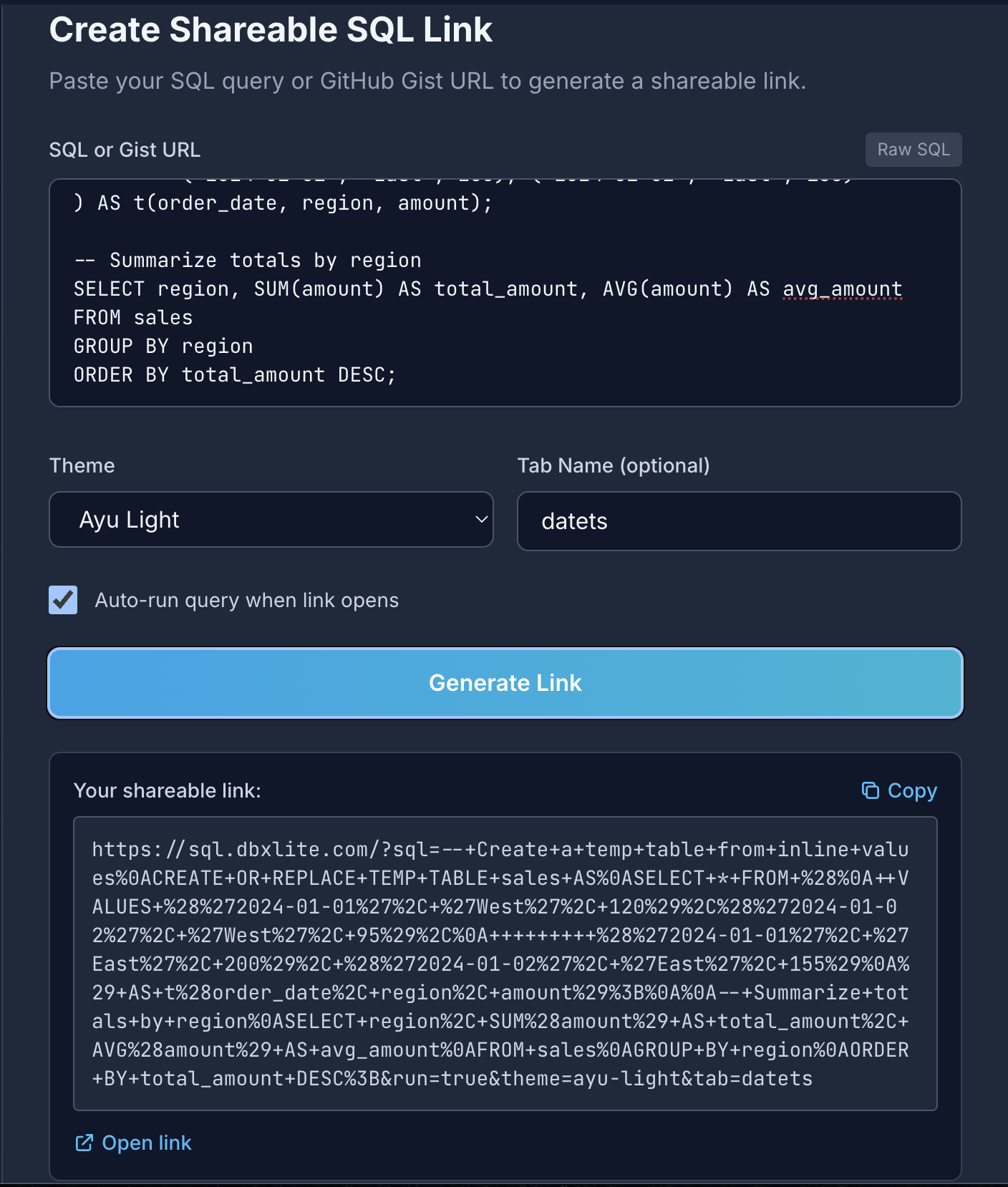
Create Shareable Links
Generate shareable SQL links with custom themes and auto-run options
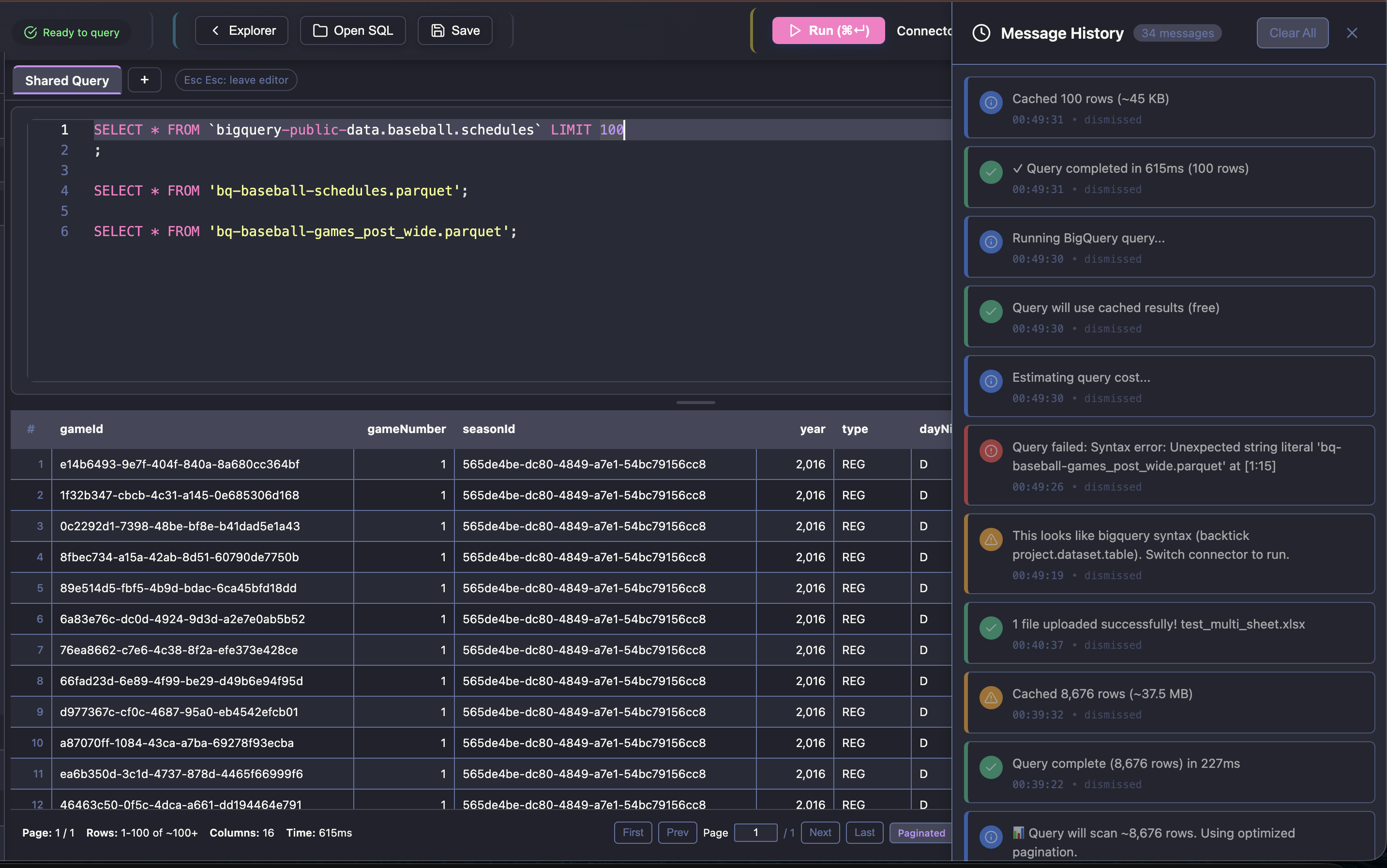
Message History (Toast)
Track query execution with timing, row counts, caching status, and error messages
Query Features
Powerful tools for inspecting and exporting data
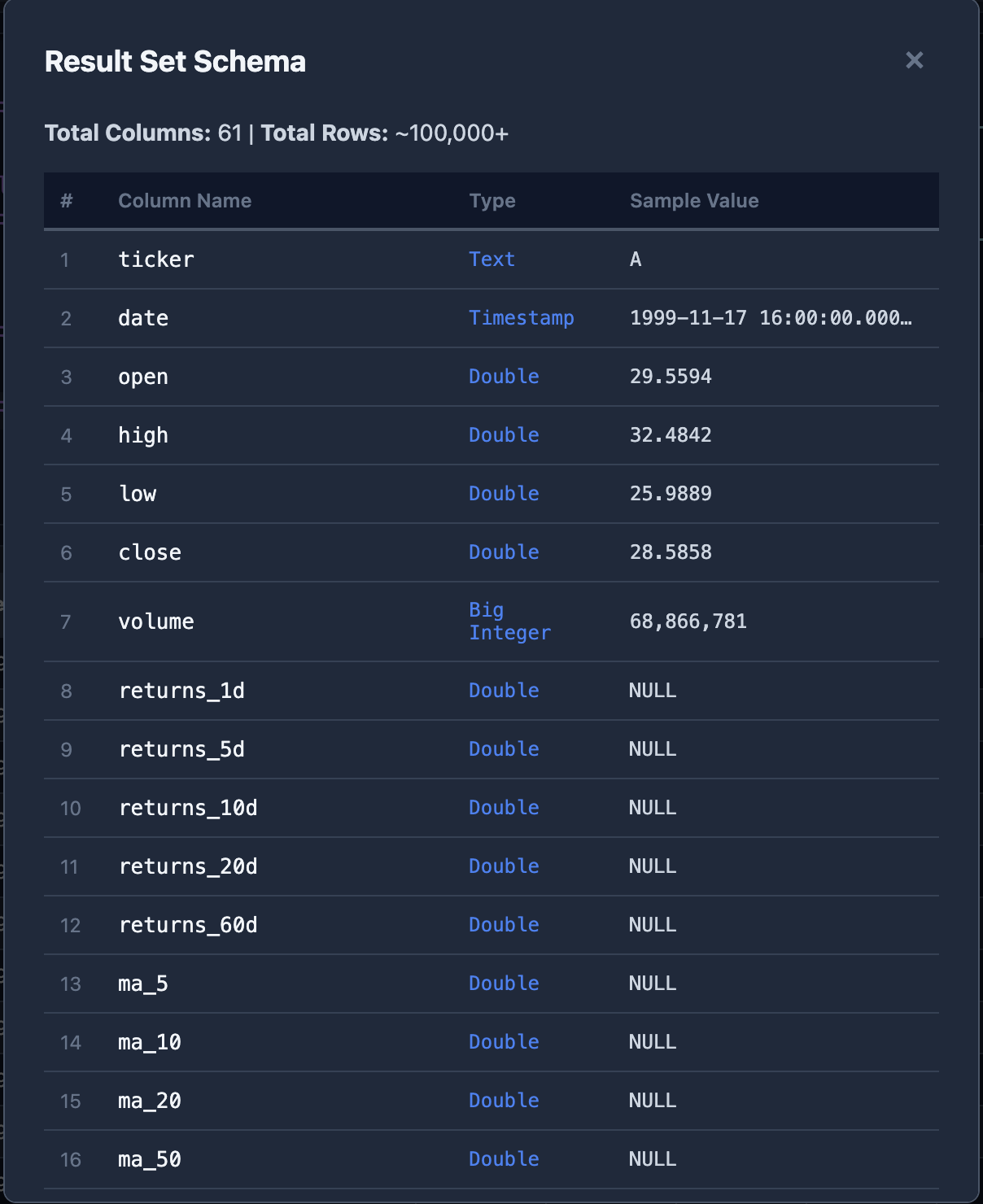
Result Schema Inspector
View column names, types, and sample values for any query result

Export to Parquet
Export query results to Parquet format with progress indicator
Settings & Customization
Fine-tune appearance, connections, and formatting to your preferences
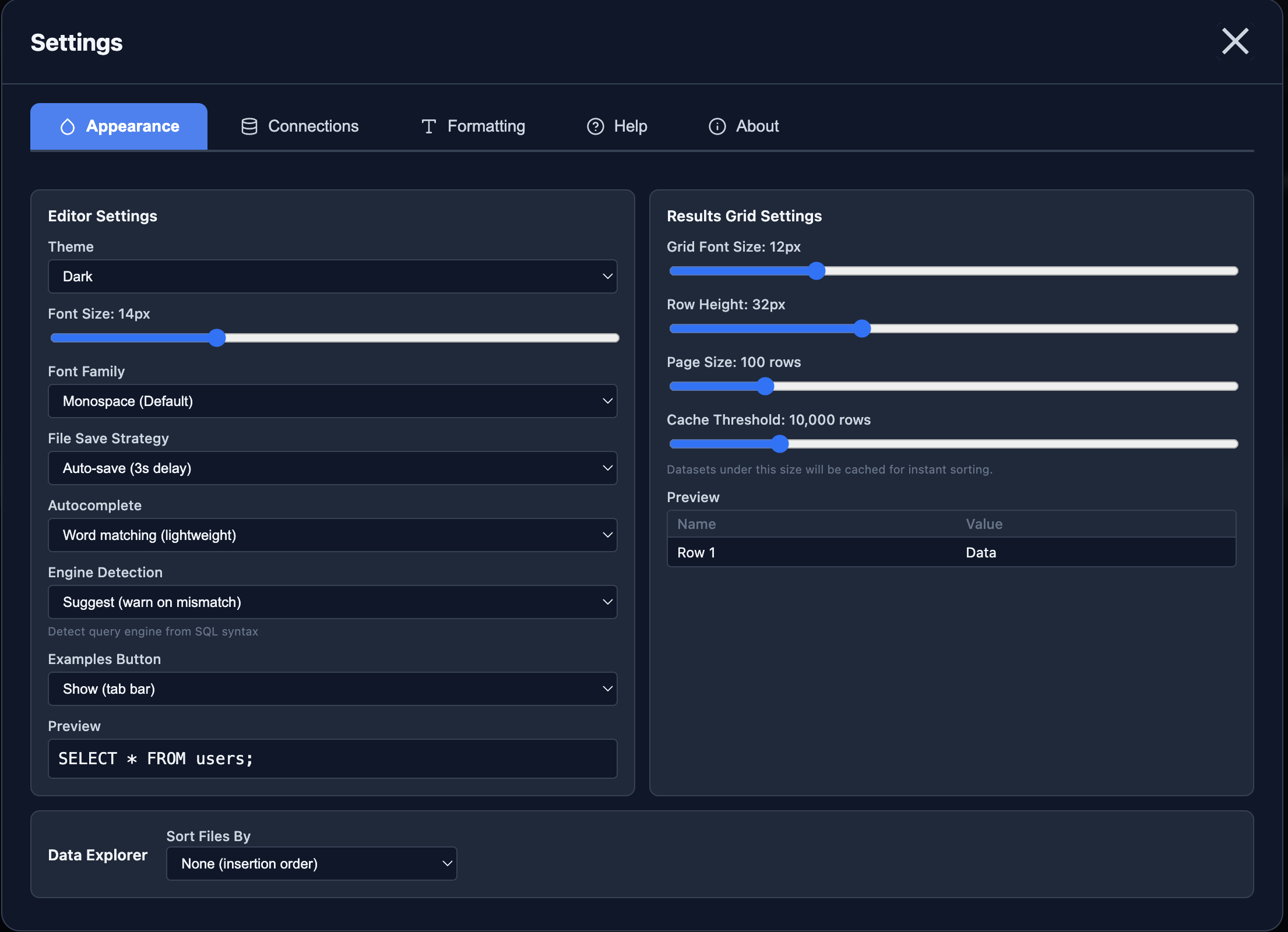
Appearance Settings (Light)
Customize theme, font size, autocomplete, grid settings, and more
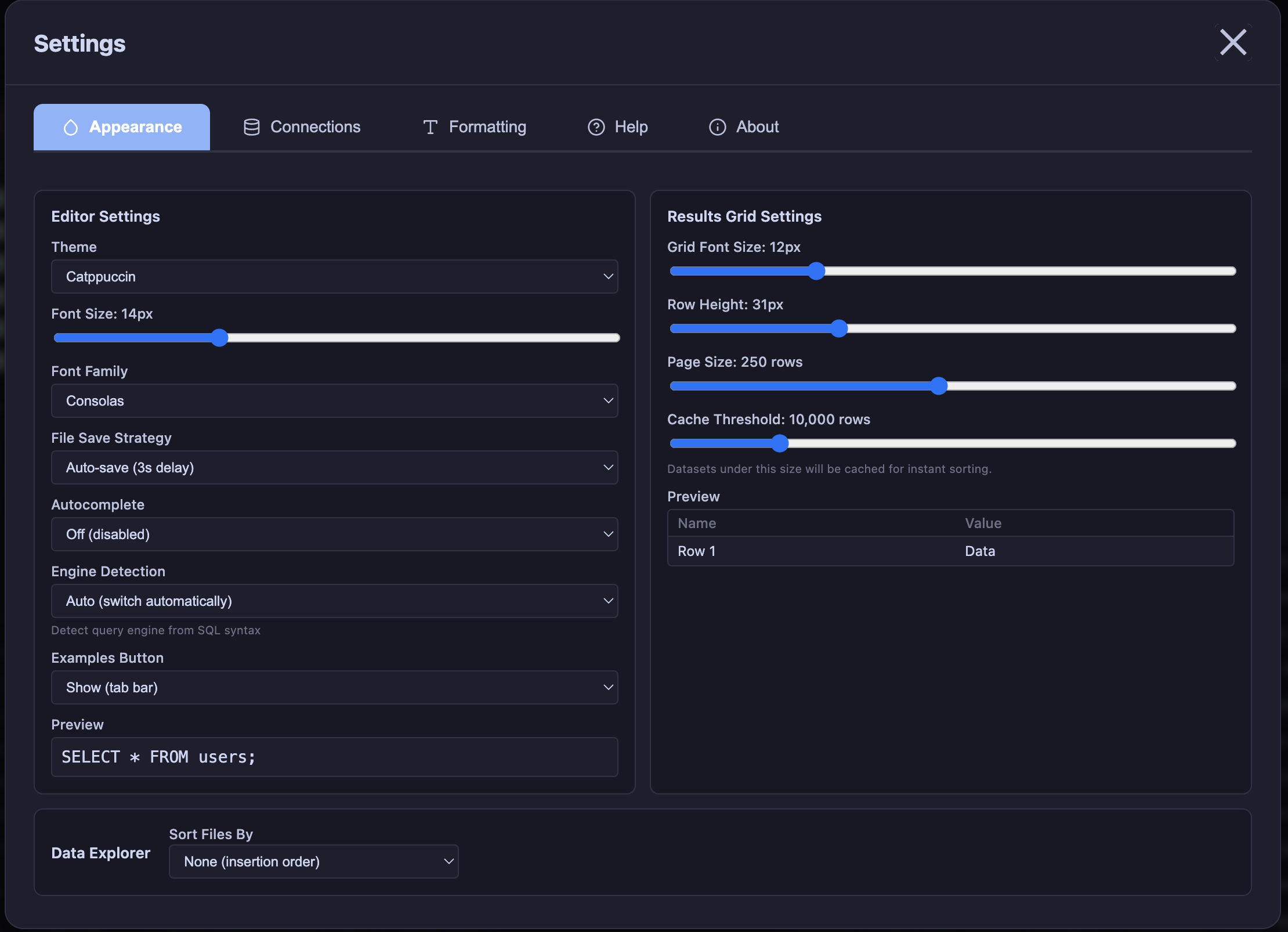
Appearance Settings (Dark)
Same settings with Catppuccin theme - adjust editor and results grid preferences
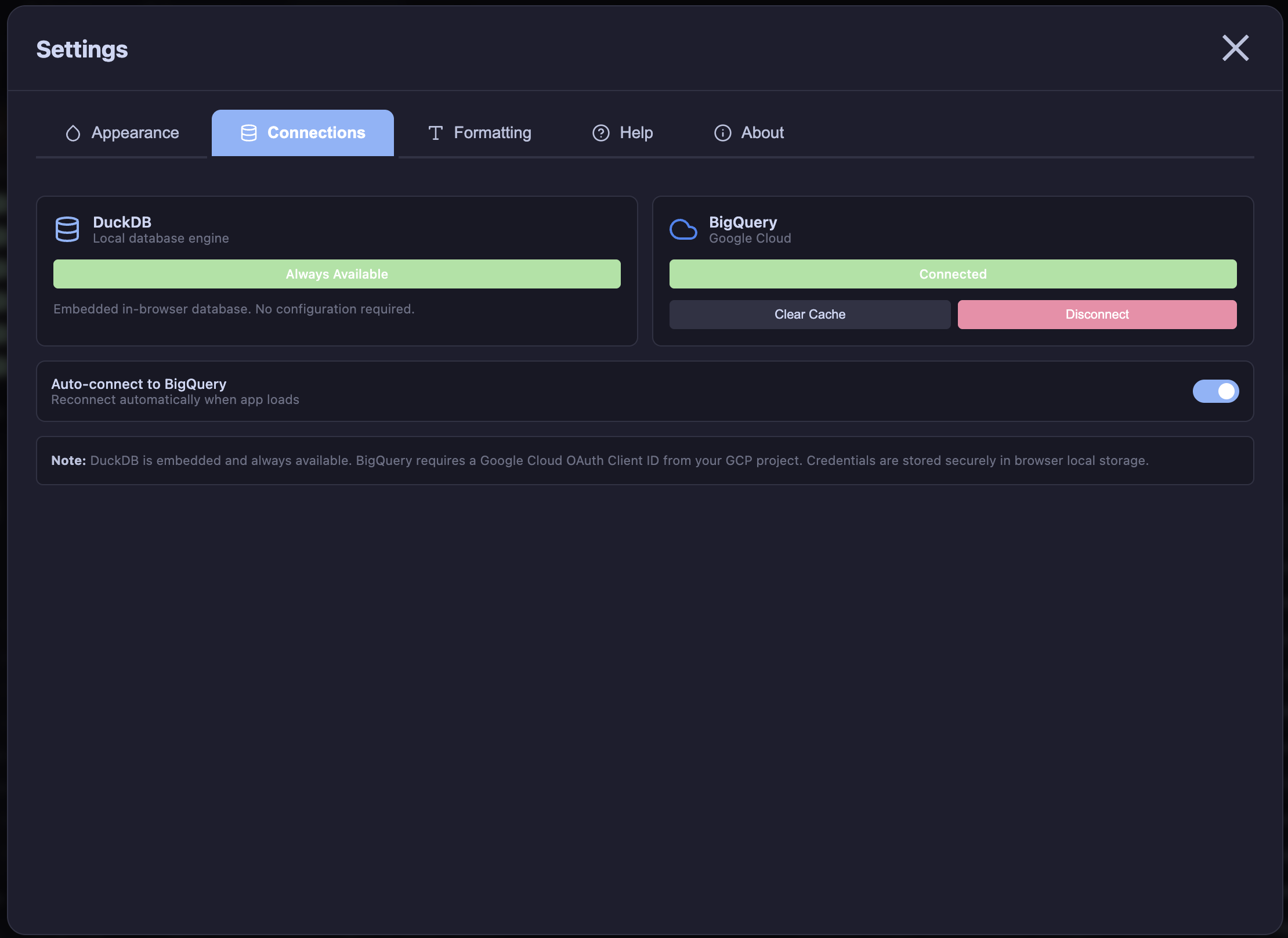
Database Connections
DuckDB is always available; connect to BigQuery with OAuth for cloud queries
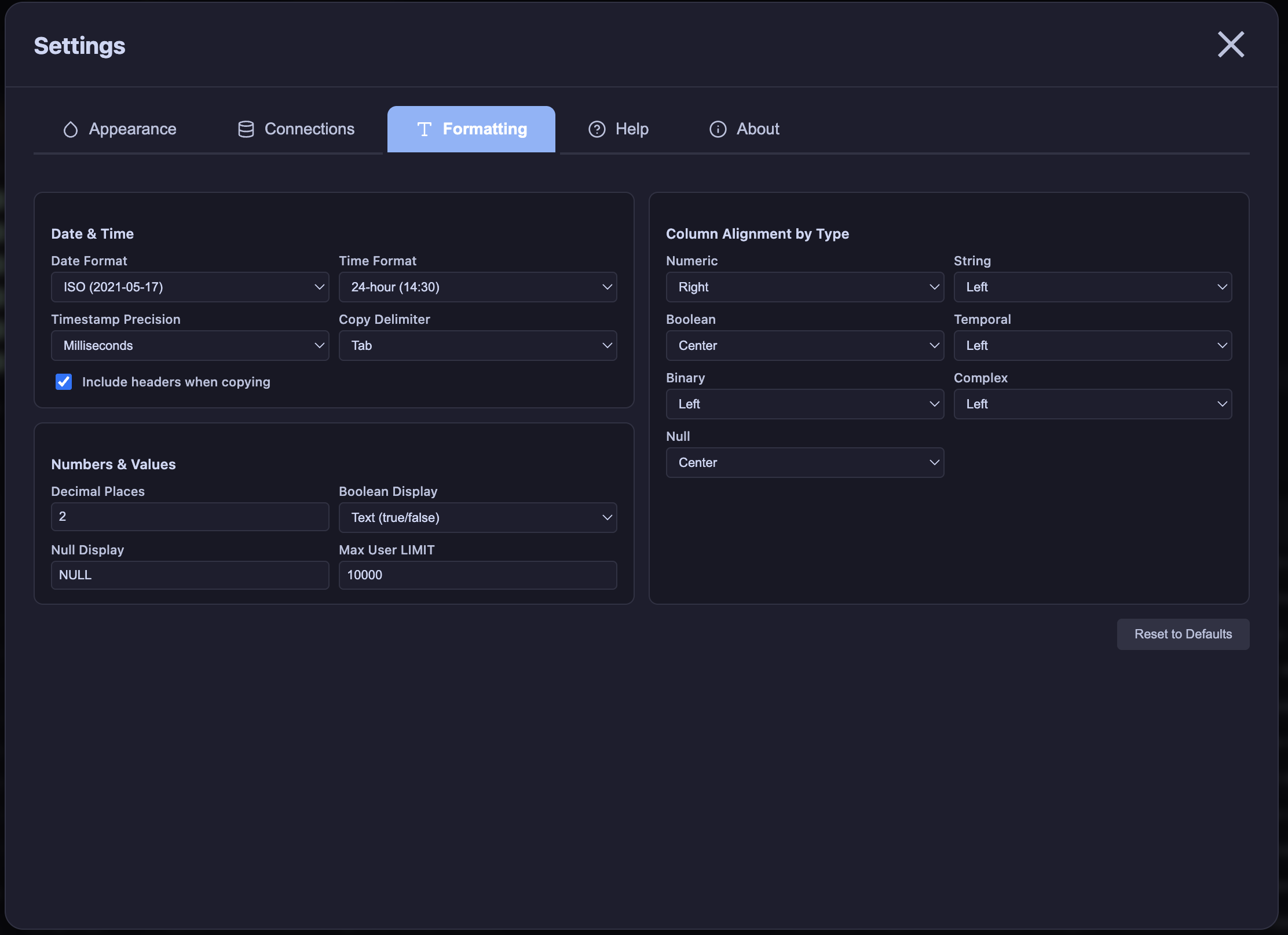
Formatting Options
Configure date/time formats, decimal places, column alignment, and null display
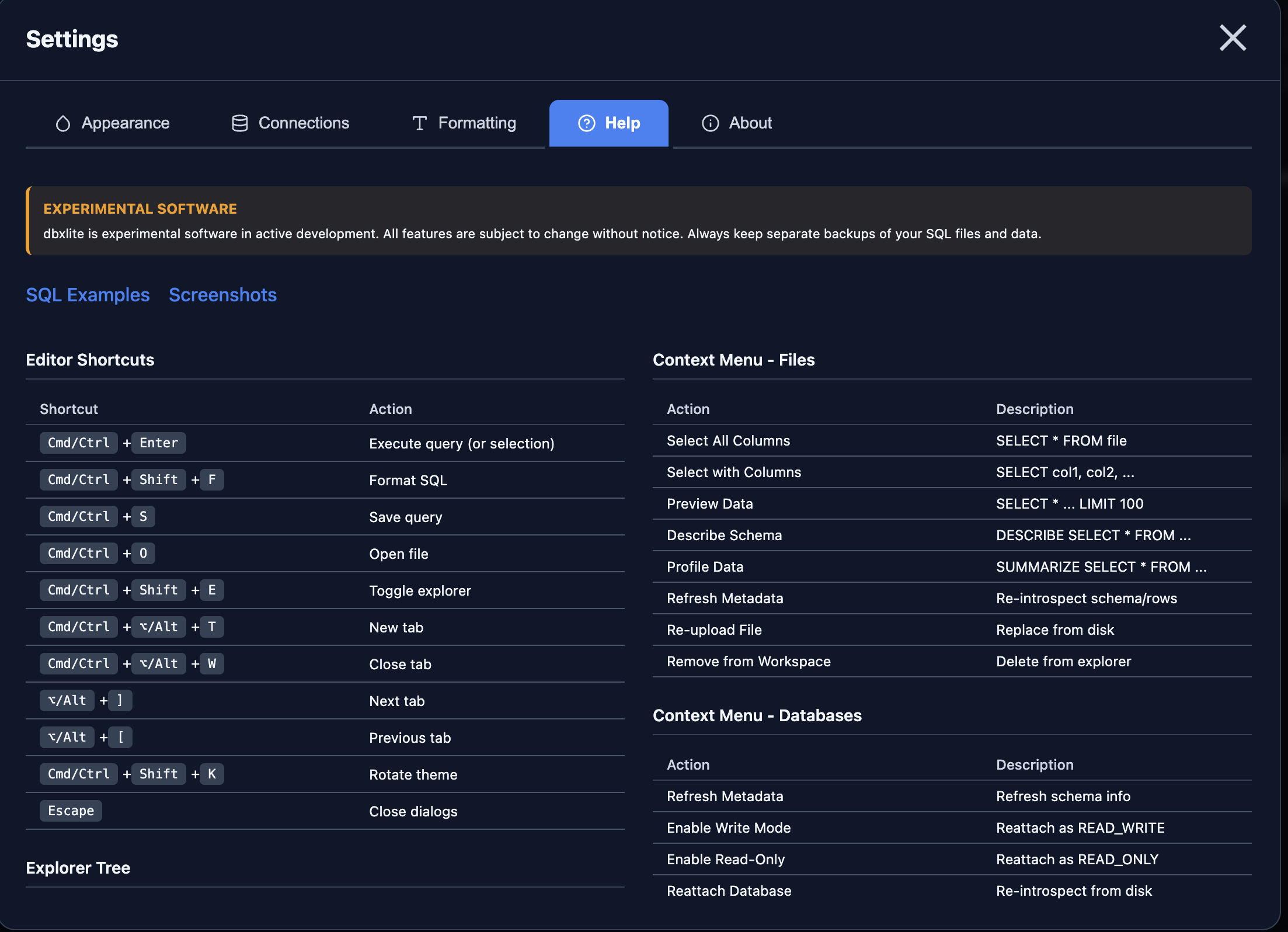
Keyboard Shortcuts
Full list of editor shortcuts and context menu actions for power users

About & Tech Stack
Built with DuckDB WASM, React, Monaco Editor, and more open-source tools
Tips & Tricks
Get the most out of dbxlite with these helpful features
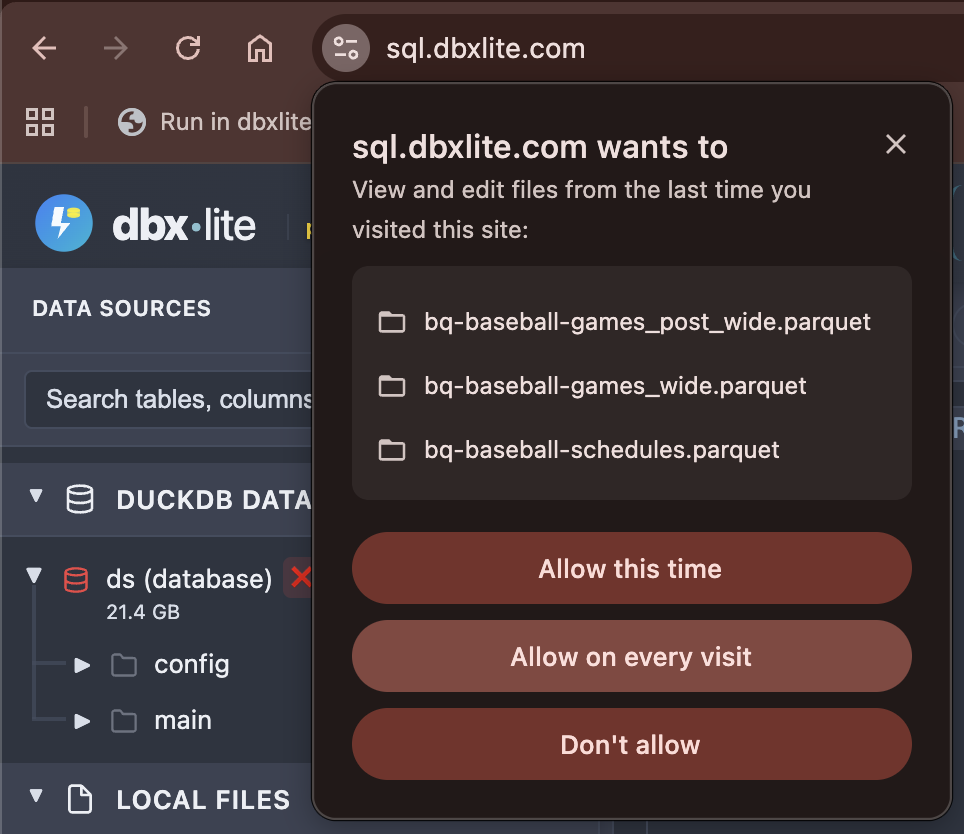
Persistent File Access
Click "Allow on every visit" to keep file access between sessions (Chrome)
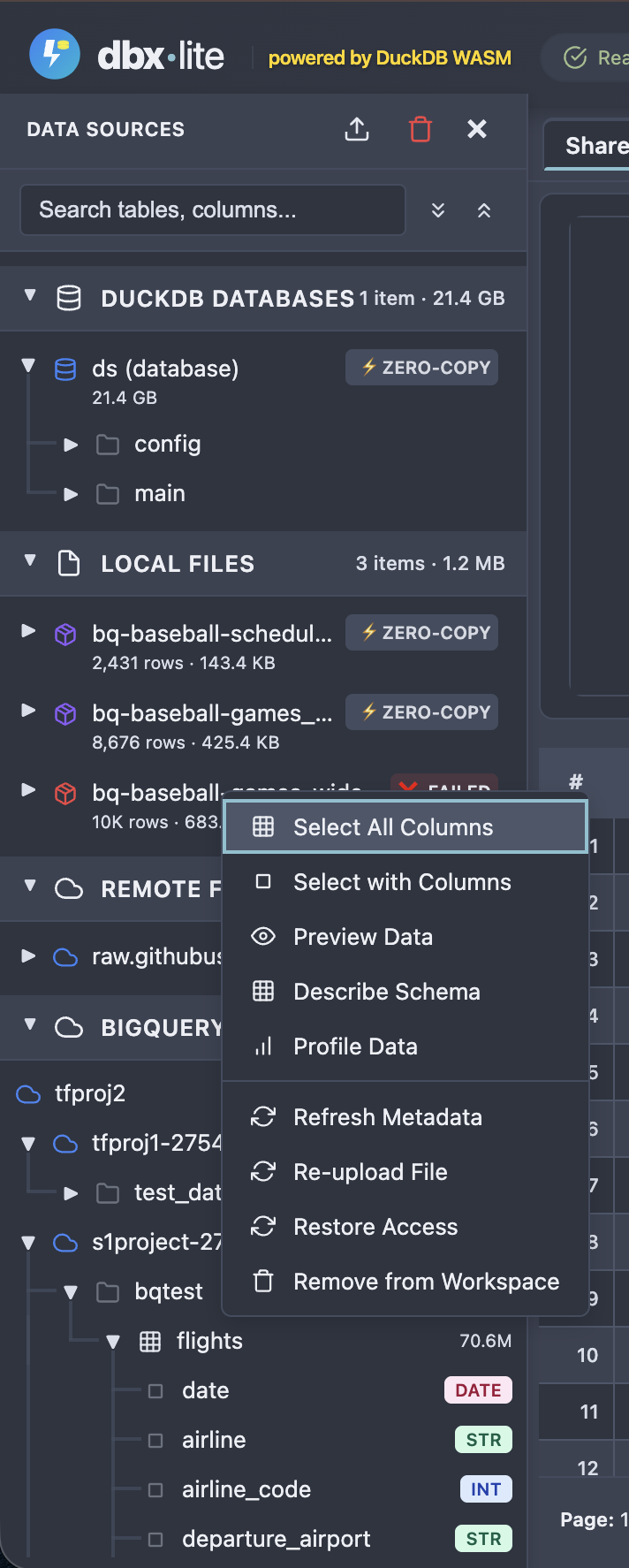
Restore File Access
Right-click any file and select "Restore Access" to re-grant permissions